
Slow WordPress Site: Should You Fix It or Rebuild It?
Most slow WordPress sites can be fixed without a rebuild, but some cannot. How to decide, before you spend anything.

zabil
A slow WordPress site leaves you with an expensive-looking choice: pay someone to tune what you have, or start again with a new build. The right answer depends on what is actually making the site slow, and it is not always the more dramatic option. Most slow sites can be fixed. A minority cannot be fixed sensibly, and it helps to know which group yours falls into before you spend anything.
Start with the honest default: fix first
The most common causes of a slow WordPress site are cheap to address: hosting that is too small, oversized images, no caching, and a few plugins that load their files everywhere. We list them in order in our guide to why a WordPress site loads slowly.
There is a second reason to fix first. A rebuild that keeps the same host, the same habits with images and the same collection of plugins will end up slow again. If you have not found the cause, a new design will not remove it.
Signs that a fix is enough
- The server responds quickly, and the weight is in images and scripts that can be trimmed.
- A small number of plugins are responsible for most of the problems, and they can be replaced or configured properly.
- No page caching is set up, or it is set up badly.
- The site runs on an outdated PHP version or an under-powered hosting plan.
- The theme is reasonably built, still maintained, and the design still suits your business.
If most of this list describes your site, tuning is almost certainly the better use of your money. Getting the measurements first is worthwhile, and our guide to testing a slow WordPress site and reading the results shows how.
Signs that a rebuild is worth considering
Some problems are structural. Tuning still helps, but it runs into a ceiling.
- The theme or page builder is the ceiling. Every page is built from deeply layered blocks that load large amounts of code, and optimisation only removes so much before the pages start to break.
- The theme is abandoned. It is no longer updated, breaks when WordPress or PHP is updated, and is the reason the site is stuck on old versions.
- The site has grown by accretion. Dozens of plugins each patch one missing feature, and nobody is sure what is safe to remove.
- The site no longer matches the business. If you would redesign it anyway because the services, audience or structure have changed, it is cheaper to do it once and build speed in from the start.
- The mobile experience is poor at its core. Layouts that only work on a large desktop screen are hard to repair page by page.
- The cost of fixing approaches the cost of rebuilding. Ask for both quotes before you decide. If the repair list is long, a rebuild may be better value.
There is a middle path
Choosing to rebuild does not mean leaving WordPress. Often the sensible option is to keep the platform and the content, and replace only the heavy layer: move the pages to a lean, well-built theme, remove the plugins that a proper theme makes unnecessary, and move to better hosting at the same time.
You can also stage the decision. Measure, fix the cheap causes, measure again, and only then decide whether what remains justifies a rebuild. The second set of numbers makes the decision far less of a gamble.
Questions to ask before you decide
- What do the measurements say, and are the slowest pages the ones that matter to the business?
- Is the slowness on the server, in the pages, or in the scripts other companies add to them?
- Who maintains the site, and is the theme still supported?
- What has the site cost you in repairs over the past year?
- Is there something you need the site to do that the current setup cannot?
What a rebuild has to protect
A rebuild done carelessly can cost you the search visibility you already have. Before any rebuild, make sure it keeps or redirects every page that currently ranks or receives visitors, carries over titles, descriptions and internal links, and keeps analytics and enquiry tracking working. Our guides on what to expect from a website rebuild and on the technical SEO checklist cover this in more detail, and our piece on what a small business website costs explains what drives the price.
Where we come in
We would rather tell you not to rebuild than sell you a rebuild you do not need. The first step is an audit: we measure the site, find where the time is going, and tell you whether it is a set of fixes or a job for a new build, with the reasons. If you want that assessment, it sits within our systems and technology service, and you can contact us to start.
Related services
Related work
Where this has been applied.
Professional Services
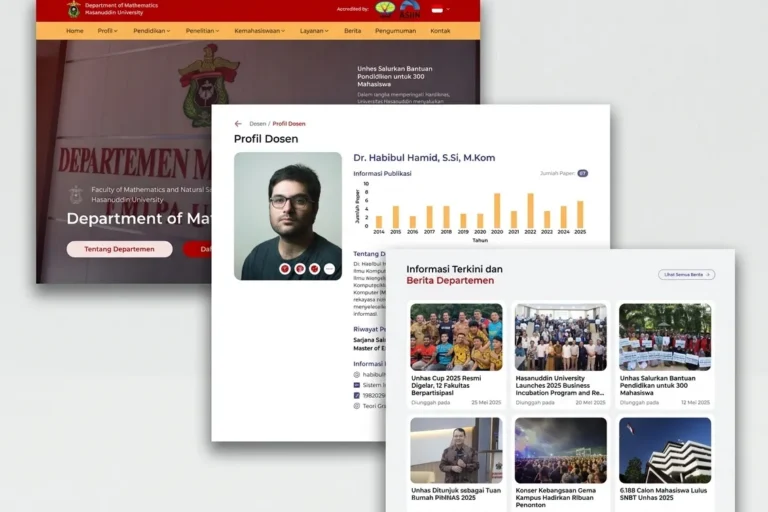
Departemen MIPA UNHAS
Universitas Hasanuddin
An official departmental website presenting academic information, news and activities, built so staff can maintain it without technical help.
Professional Services
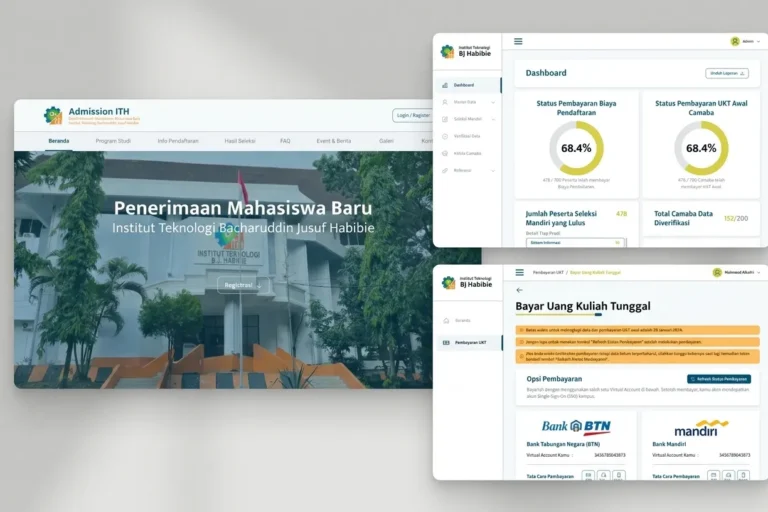
Admission ITH
Institut Teknologi BJ Habibie
A student admissions platform handling the full registration process online, from application through document upload to initial payment.
Local & Growing Businesses
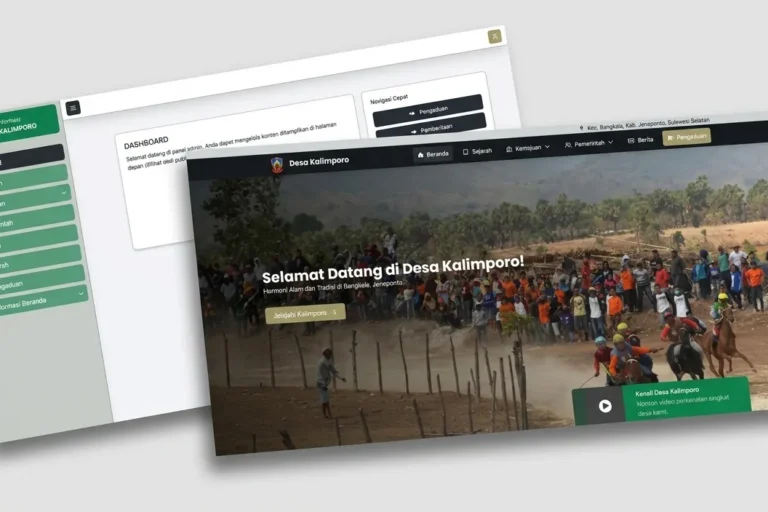
Desa Kalimporo
Desa Kalimporo
A village profile platform presenting governance structure, population data, local potential and village programmes to a wider audience.
Keep reading
Related articles.

Web Development
Who Owns Your Website? A Domain, Hosting and Login Checklist
Your domain, hosting, admin logins and Google accounts can each belong to a different person. A practical checklist so you know who holds the…

Web Development
Does Your Bali Business Need a Multilingual Website?
Should a Bali business website speak more than one language? How to decide from your own enquiries, and how to set it up so…
Web Development
WordPress Security for Small Businesses: A Plain-English Checklist
A plain-English WordPress security checklist for business owners: updates, plugins, passwords, backups, and what to ask your developer and host.