
Who Owns Your Website? A Domain, Hosting and Login Checklist
Your domain, hosting, admin logins and Google accounts can each belong to a different person. A practical checklist so you know who holds the keys to your website.

zabil
Many business owners find out who owns their website only when something goes wrong. The developer stops replying, the domain quietly expires, or nobody can find the login for the account that holds the Google listing. By then, fixing it costs time and sometimes money.
“Your website” is not one thing. It is a handful of separate assets, and each can be registered to a different person or company. This guide walks through them, with facts taken from ICANN’s guidance for domain registrants and Google’s help pages. It is a practical checklist, not legal advice. If a contract is involved, have a lawyer read it.
The pieces that make up your website
Think of six separate items. For each, ask: whose name is it in, and can I log in myself?
- Domain name: the address people type, such as
yourbusiness.com. - Hosting: the server that stores the site’s files and database.
- Website admin login: for WordPress, the account that lets you edit pages.
- Content and design: your text, photos, logo and custom design work.
- Business email: addresses such as
[email protected]. - Google accounts: your Business Profile, Search Console and Analytics.
Start with the domain, because everything else hangs off it.
The domain: check this first
When a domain is registered, one person or organisation is recorded as the registrant, also called the registered name holder. ICANN, the body that coordinates the domain system, publishes a lookup tool that shows the registrar and other details for a domain. Some owner details may be hidden for privacy, so a hidden name is not proof of a problem. The reliable test is whether you can log in to the registrar account yourself.
If the domain sits in a developer’s or agency’s account, you depend on them for renewals, transfers and DNS changes. Some key rules from ICANN’s registrant FAQ:
- Moving a domain needs an authorisation code. ICANN says the registrar must provide the code within five calendar days of your request.
- There are 60-day locks. A registrar may deny a transfer within 60 days of initial registration. You also cannot move a domain to a different registrar within 60 days of changing the registrant’s name, organisation or email address. ICANN suggests finishing a transfer before changing contact details if transfer is your goal.
- Changing the owner needs confirmation. To move a domain to another registrant, you ask your current registrar, which asks for confirmation, typically by email to the registered name holder.
The practical point: do not wait until you are in a dispute to find out who the registrant is, because a change of registrant can itself trigger a 60-day lock.
Domain expiry is the quiet danger
ICANN’s Expired Registration Recovery Policy sets minimum rules for registrars. They must send at least two renewal reminders, about a month and about a week before expiry, to the registrant email address on record. If that address belongs to a former developer or someone who has left, the reminder goes to the wrong person.
ICANN also explains what happens next. Registrars must disrupt the domain’s DNS service for up to eight days before deleting a domain, which means your website and your business email stop working. Generic domain registries must then offer a 30-day Redemption Grace Period in which the holder can restore the domain, and the registrar may charge a fee for that.
One important limit: these ICANN rules cover generic domains such as .com. Country domains, including .id, follow their own registries’ rules, so check the terms with your registrar.
What to do now: turn on auto-renew, and make sure the contact email is a business address that more than one person can read.
Hosting and the site itself
Hosting is where your site’s files and database live. Ask three questions:
- Is the hosting account in my business’s name, and who pays the bill?
- Do I have my own login to it?
- Can I get a full backup of the files and the database whenever I ask?
If the answer to any is no, your site depends entirely on the goodwill of whoever holds the account. The same goes for the website’s admin area. You should have your own administrator login to WordPress, not only a developer’s account. Our WordPress security checklist explains why each person should have their own login with only the access they need.
Design, content and licences
Who owns custom design work, text and photos depends on what your contract says, and rules differ between countries, so we will not state one. Instead, ask for a written statement that covers:
- Who owns the text, photos and logo made for the project.
- Which parts, such as a paid theme, plugin, font or stock photo, are licensed rather than owned, and whether they renew each year.
- What the supplier hands over if you part ways: logins, backups and a short list of what is installed.
Our guide to what to expect from a website rebuild covers handover from the other side.
Google accounts: easy to forget, hard to recover
These accounts often live in whoever set them up, which may not be you.
Google Business Profile. Google says a profile can have multiple owners but only one primary owner, and that managers cannot add or remove users. Only the primary owner can transfer primary ownership. When a business changes hands, Google says to transfer primary ownership to the new owner so that business info, such as reviews, is maintained. You can check the list under Business Profile settings, then People and access. Our Google Business Profile guide explains why this listing matters.
Search Console. Owners can add and remove users, and Google says a property must have at least one verified owner or no users will have access. If your only verified owner leaves, you must verify ownership again to regain access. See our Search Console guide for the set-up.
Google Analytics. An account Administrator can manage users, adding or removing them and assigning any role. Make sure at least one administrator is someone in your business, and that the property sits in an account you control, with your supplier added as a user.
A ten-minute ownership audit
- Look up your domain, then log in to the registrar yourself. If you cannot, ask for access now.
- Turn on auto-renew and set a contact email that your business controls.
- Check whose name is on the hosting account, who pays, and that you have your own website admin login.
- Check Business Profile, Search Console and Analytics: are you an owner or administrator?
- Ask for a short written statement on ownership of content, design and licences.
- Record the registrar, host, renewal dates and who holds each login in one place your business controls. Keep passwords in a password manager, not a spreadsheet.
Working with a freelancer or agency
A good supplier should be comfortable with this arrangement: the domain and key accounts are in your name, and the supplier is added as a user whose access you can remove. A supplier who insists on being the only person who can log in is a warning sign. Our comparison of freelancers, agencies and in-house teams covers other questions to ask before you choose.
Where to start
If you only do one thing today, find out who the registrant of your domain is and when it expires. It takes two minutes and prevents the most painful surprise.
We help small businesses organise their systems and technology and digital outsourcing from our Bali and Makassar base. If you are not sure who holds the keys to your website, tell us about your business and we will suggest where to start.
Related work
Where this has been applied.
Professional Services
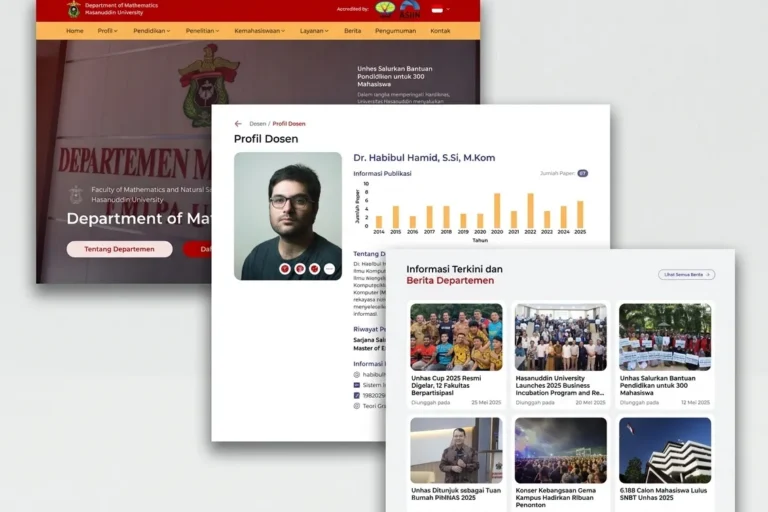
Departemen MIPA UNHAS
Universitas Hasanuddin
An official departmental website presenting academic information, news and activities, built so staff can maintain it without technical help.
Professional Services
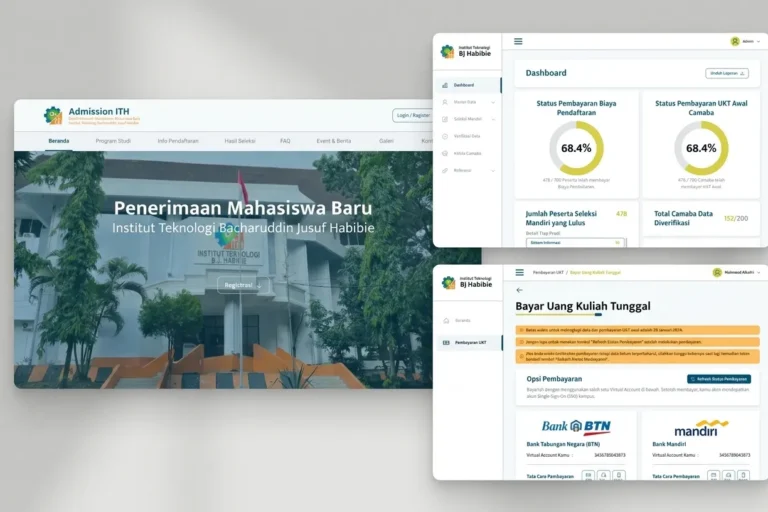
Admission ITH
Institut Teknologi BJ Habibie
A student admissions platform handling the full registration process online, from application through document upload to initial payment.
Local & Growing Businesses
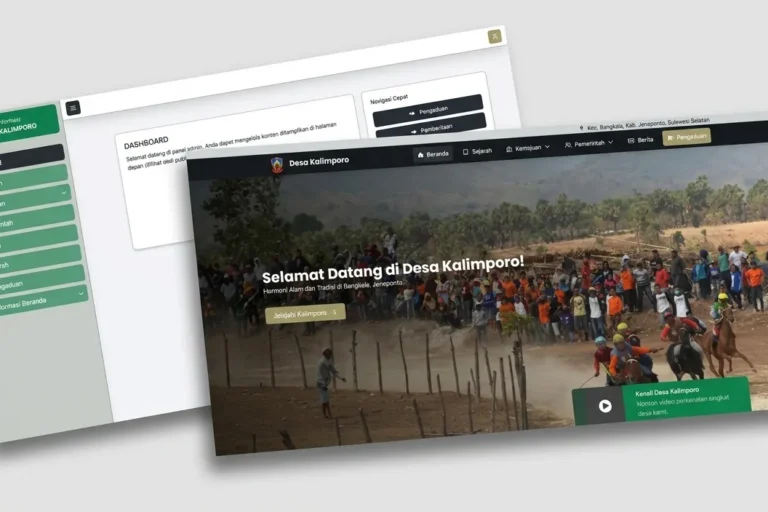
Desa Kalimporo
Desa Kalimporo
A village profile platform presenting governance structure, population data, local potential and village programmes to a wider audience.
Keep reading
Related articles.

Web Development
Does Your Bali Business Need a Multilingual Website?
Should a Bali business website speak more than one language? How to decide from your own enquiries, and how to set it up so…

Web Development
WordPress Security for Small Businesses: A Plain-English Checklist
A plain-English WordPress security checklist for business owners: updates, plugins, passwords, backups, and what to ask your developer and host.
Web Development
Slow WordPress Site: Should You Fix It or Rebuild It?
Most slow WordPress sites can be fixed without a rebuild, but some cannot. How to decide, before you spend anything.